Features
What SilverGents does, and where.
The website, the iPhone app and the Android app share one account. Here is what each one does today.
The website
Free for every member
Open silvergents.com in any browser, on a computer, a tablet or a phone.








Members and filters
Browse men near you or in any city. Filter by age, distance, city, language, interests, who is online and who has a photo.
His page
His photos and videos, his story, what he is looking for and what you have in common, with a first line to open with.
Your week
See who viewed your profile and who favorited you.
Favorites
Keep the men you want to come back to on one page.
Messages
See when he is typing and when he has read it. Reply to one message, react, search, mute or archive.
Travelers
Add a trip with a place and dates. See other members' trips, and filter them by city.
Plan a date night
From his page, lay out an evening in his city, where we know places there.
Notifications
One list on the site. Choose which emails you get, and set quiet hours.
Privacy
Choose who sees your profile. Hide your online status, when you were last active, your age or your distance.
Easy to read
Light or dark, four text sizes, high contrast, and 12 languages.
Galleries
Photo walls that members add to. Someone on our team looks at each photo before it appears.
Help with your profile
A writing aid drafts your story from your interests and what you are looking for. You can change every word, and it saves as you go.
The iPhone app
For iPhone and iPad, on iOS 17 or later. Sign in with Apple, Google or email.
Explore
Four ways to start an evening: a quiet dinner, drinks and music, something cultural, or meeting gents nearby.
A local evening
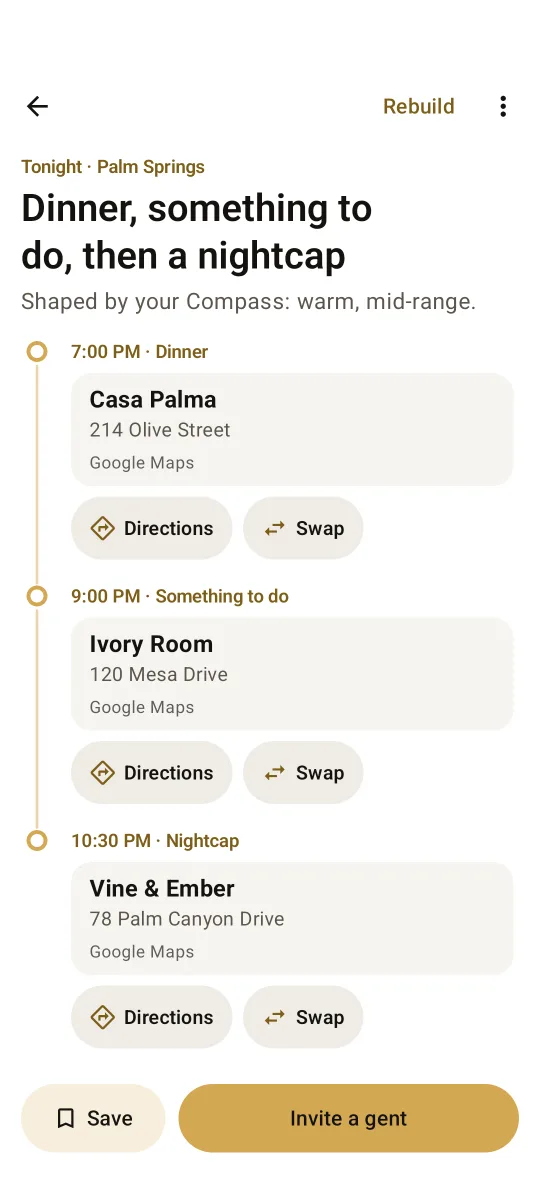
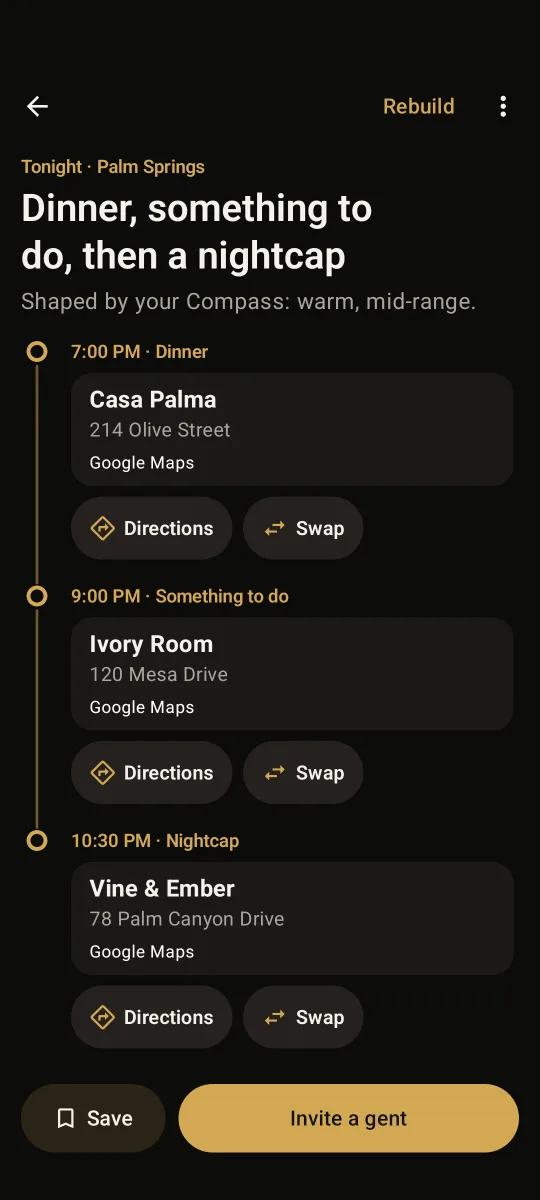
Three stops in order, with suggested times. Save the plan, swap a stop, or invite a member to it.
Social Compass
Seven questions about your pace and what draws you in, and Compass Picks shaped by your answers. Your answers stay private. You choose whether to show a small badge on your profile.
Members
The directory with filters, full profiles and a photo viewer. Save a member. Report or block him from his profile.
Messages
Text messages. See when he is typing and when he has read it. Send a plan as an invitation. Mute or archive a conversation.
Me
Your plans, your Compass, your saved members, your profile and your photos, added from your library.
Notifications
Push notifications, with a choice for each kind, and quiet hours at night.
Easy to read
Light, dark or match your phone. Text follows your phone's text size. In five languages.
The Android app
For phones on Android 8 or later. Sign in with Google, Apple or email. The app is in English.
Explore and local evenings
The same four ways to start, and the same evening laid out in order: three stops with times, to save, swap or send as an invitation.
Social Compass
Seven questions, answered in private, and suggestions shaped by them.
Members
Profiles and filters. Save a member. Report him, and block him in the same step.
Messages
Text messages. See when he is typing and when he has read it. Dictate by voice. Send a plan as an invitation. Mute a conversation.
Who sees what
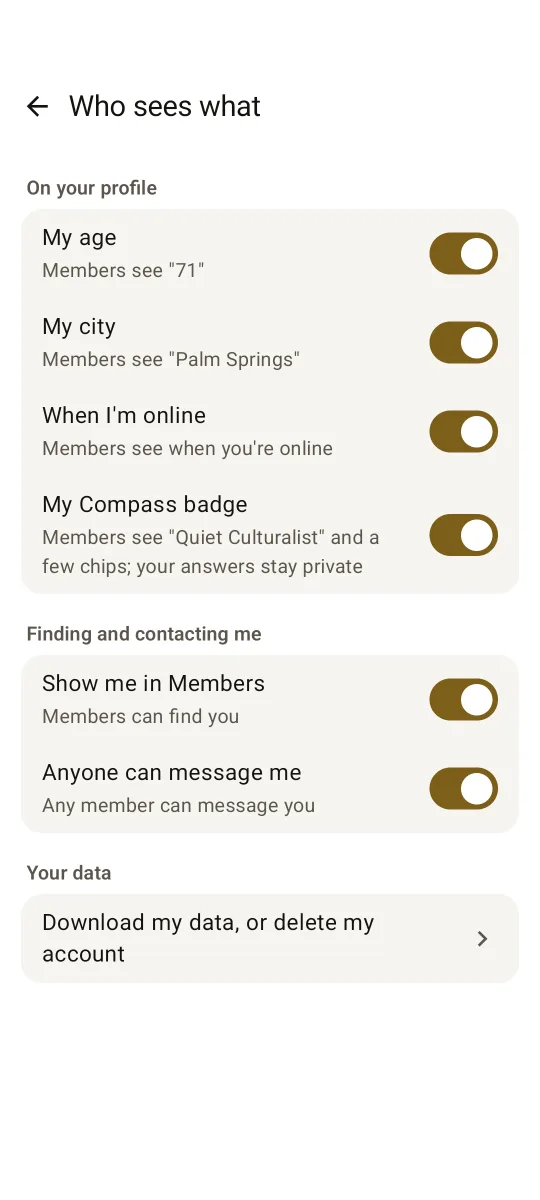
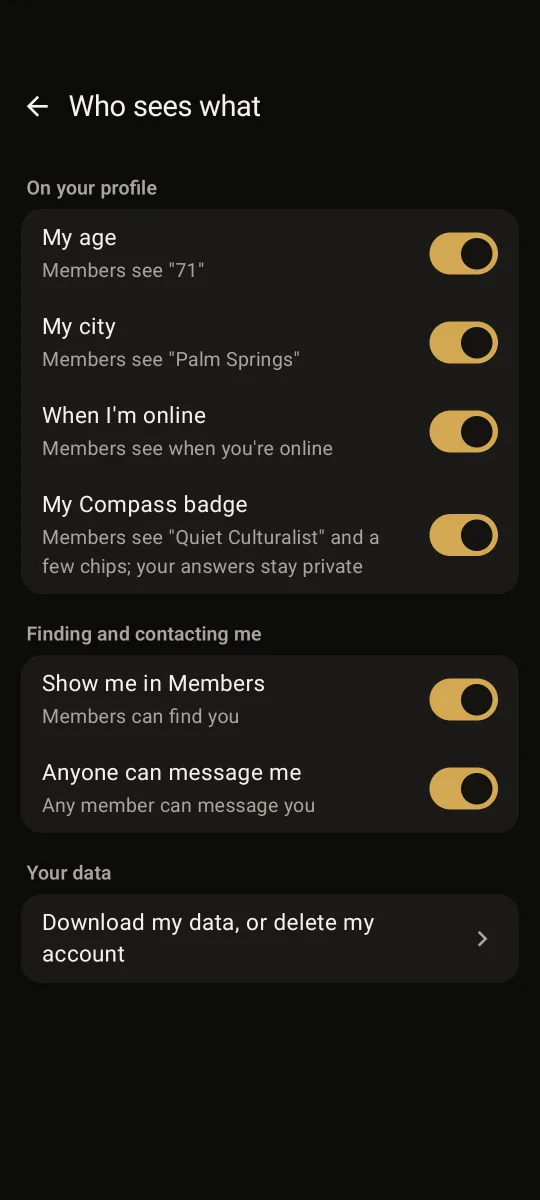
One screen for what other members see about you: your age, your city, when you are online and your Compass badge.
Quiet at night and Take a break
Hold notifications overnight. Or take a break: your profile is hidden until you sign in again.
Easy to read
Light, dark or match your phone. Text follows your phone's size. Kilometres or miles.
At a glance
What works where.
| You can | Website | iPhone | Android |
|---|---|---|---|
| Browse members with filters | Yes | Yes | Yes |
| See what you share with him | Yes | Yes | Yes |
| Write and reply to messages | Yes | Yes | Yes |
| See when he is typing and when he has read it | Yes | Yes | Yes |
| Dictate with a microphone in the message box | No | No | Yes |
| Mute a conversation | Yes | Yes | Yes |
| Archive a conversation | Yes | Yes | No |
| Send a plan as an invitation | No | Yes | Yes |
| Plan an evening | From his page | Yes | Yes |
| Start from Explore's four choices | No | Yes | Yes |
| Answer the Social Compass | No | Yes | Yes |
| Add a trip and see other members' trips | Yes | No | No |
| Set quiet hours for notifications | Yes | Yes | Yes |
| Take a break: your profile hidden until you sign in again | No | Yes | Yes |
Languages: 12 on the website, five on iPhone, English on Android. Text size: four sizes on the website; the apps follow your phone.
Free on the web.
Membership is for the iPhone and Android apps, and it is bought only in the apps, through the App Store or Google Play. SilverGents memberships are sold inside our iPhone and Android apps. Open the app on your phone to see current pricing in your own currency.
See membership and access detailsMake room for something good.
Friendship, a date, or the beginning of a shared adventure. It starts with saying hello.
Join free on the web